Domino Quoting
Domino is SAM Consulting's quoting and scoping platform. It helps the works team and their subcontractors put together accurate, consistent, and competitive quotes - drawing on dedicated pricebooks and A.I. suggestions to take the guesswork out of scoping a job. From time to time, third parties such as loss adjusters may also be given access to review a quote in Domino before it becomes a job.
You can open Domino from the apps menu in the navigation bar, or go straight to your quote dashboard - the searchable list of every quote you have access to:
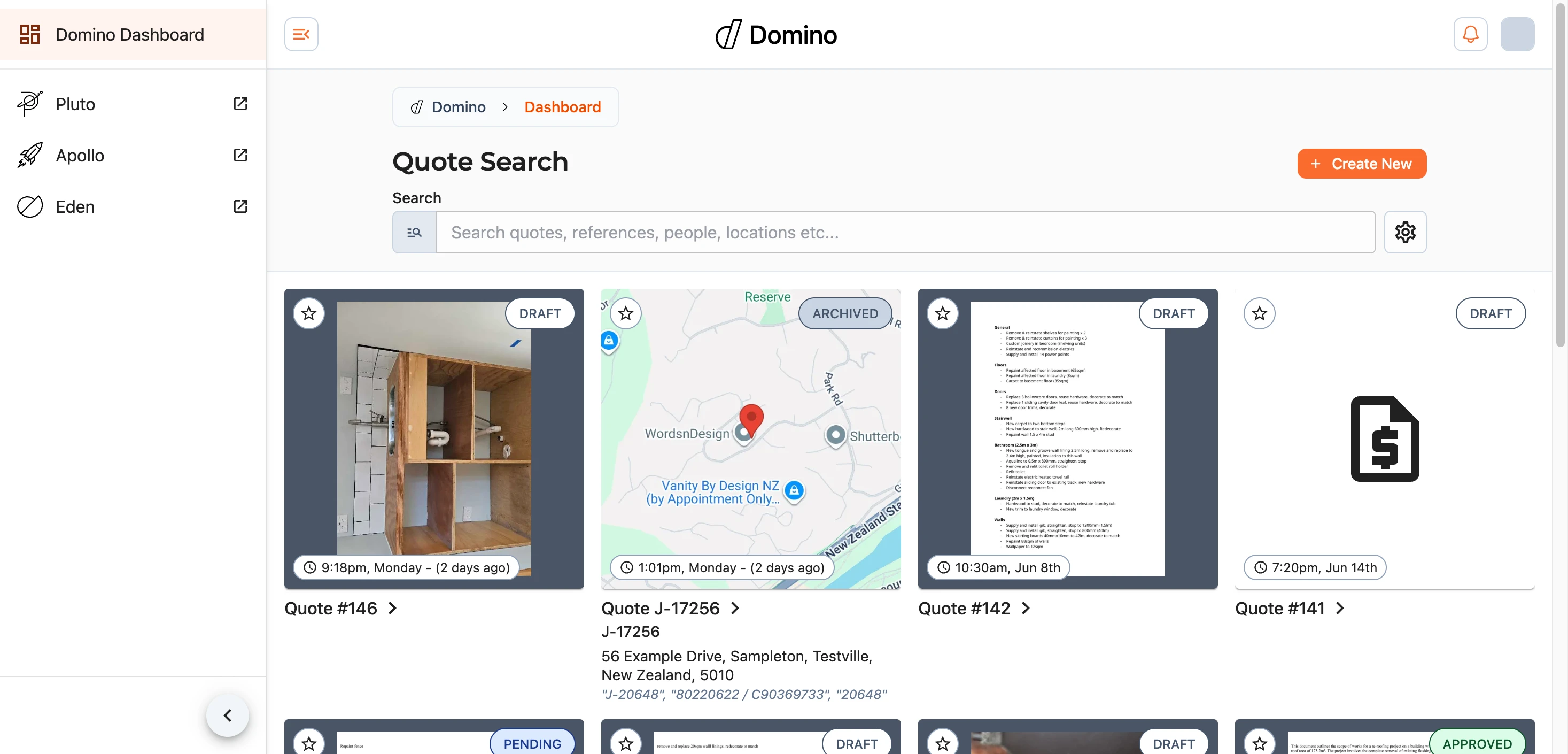
Each quote appears as a card (or a row, depending on the layout you choose) showing its title or quote number, any reference it carries, its location, and its current status. Select a quote to open it. To start a new one, use the Create New button at the top of the dashboard.
Finding a Quote
Start typing in the search box to filter your quotes by title, reference, or location. Results update as you type, and the button clears the box again.
For a more precise search, open the search options with the button beside it. From here you can change the layout, filter the list, and choose how it is ordered - everything you apply is summarised beneath the options.

Status
Filter by a quote's status, picking as many as you like at once:
Draft- a quote still being built.Pending- submitted and awaiting a decision.Approved- accepted and ready to proceed.Rejected- not accepted.Archived- kept for the record but no longer active.
Leave it on Any to show everything.
Dates, Sort and Layout
Narrow the list to a date range, and order it by Newest (the default), Oldest, or Title. Switch between the grid () and list () layouts to suit you - Domino remembers your choice. You can also turn off Animated search results if you would rather they appear instantly.
Favourites
Mark a quote as a favourite with the star () on its card. Favourited quotes turn the star yellow () and gather into their own section at the top of the dashboard, keeping the ones you are working on close to hand.