Once a quote has been created, it opens in the quote builder - the workspace where you refine the scope Domino has drafted, set your pricing, and shape the finished quote. This page covers building the quote itself; reviewing, collaborating, and publishing is covered separately.
The Header
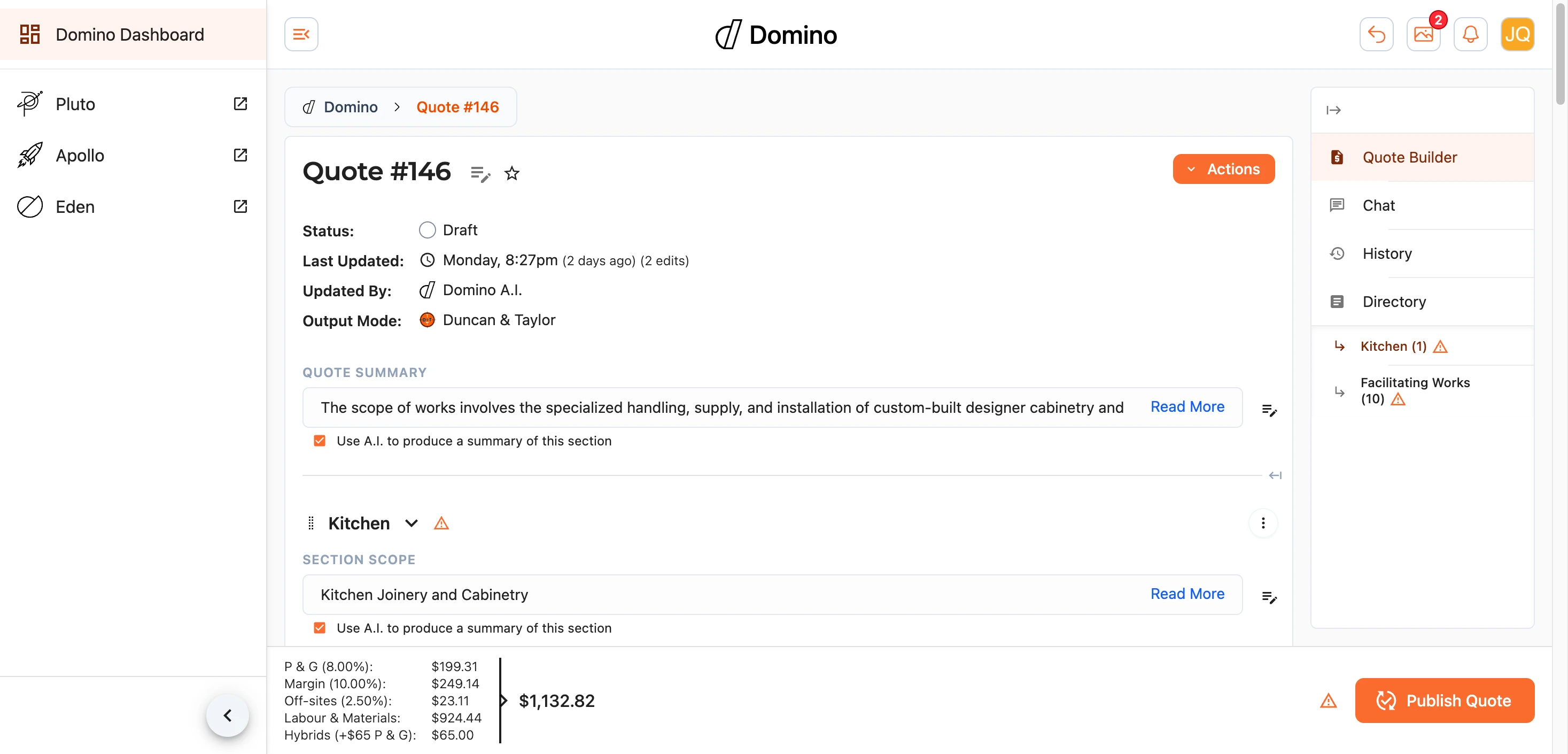
The top of the page shows the quote's title (select it, or the pencil, to rename), the site address, and a status summary - the current status, when it was last changed and by whom (including where Domino's A.I. made the change), and any quotes this one was cloned from or into.
The running totals sit just beneath, updating live as you work, so you always know where the quote stands.
Actions
The Actions menu gathers the things you can do to the quote as a whole:
- Add Room - add a new section to group line items under.
- View History - see and roll back earlier versions (see reviewing).
- Set Quote Status and Edit Quote Details - update the quote's status or its title, references, billing, and location.
- Reset Column Widths and Fullscreen - tidy up or expand your working view.
- Clone - take a full copy of the quote to work from.
- Cherry Pick - pull selected line items in from another quote.
- Reset Quote and the delete options - clear the quote back to a starting point. Treat these with care.
The Line Items
The body of the quote is a table of line items, grouped into rooms (sections). For each item you can set its description, quantity, unit, and amounts, and the totals roll up automatically.
- Reorder items and rooms by dragging them into place.
- Expand or collapse rooms to focus on the part you are working on.
- Strike off an item to keep it on the quote but exclude it from the total - useful for work that has been cash-settled or deferred. You choose how struck-off items are labelled.
- Minimum charges and volume reductions let you handle trade minimums and bulk adjustments without hand-calculating them.
- Leave a comment on any line item to raise a question or note - see collaborating.
Suggestions
As you build, Domino offers suggestions against line items - matches from the approved pricebook and its own A.I. suggestions - so you can price consistently without hunting through rate cards. Where you want more certainty, the research option digs deeper into an item for you.
Files & Media
The builder keeps the quote's files and media to hand alongside the table - the documents it was built from, photos, and any visualisations - so you can refer back to them as you work.
Trade Breakdown
The Trade Breakdown Preview shows how the quote splits across the trades involved. Every line item is grouped by its trade, with the labour, materials, and combined totals for each - a quick way to sanity-check that the work is apportioned sensibly before the quote goes out.
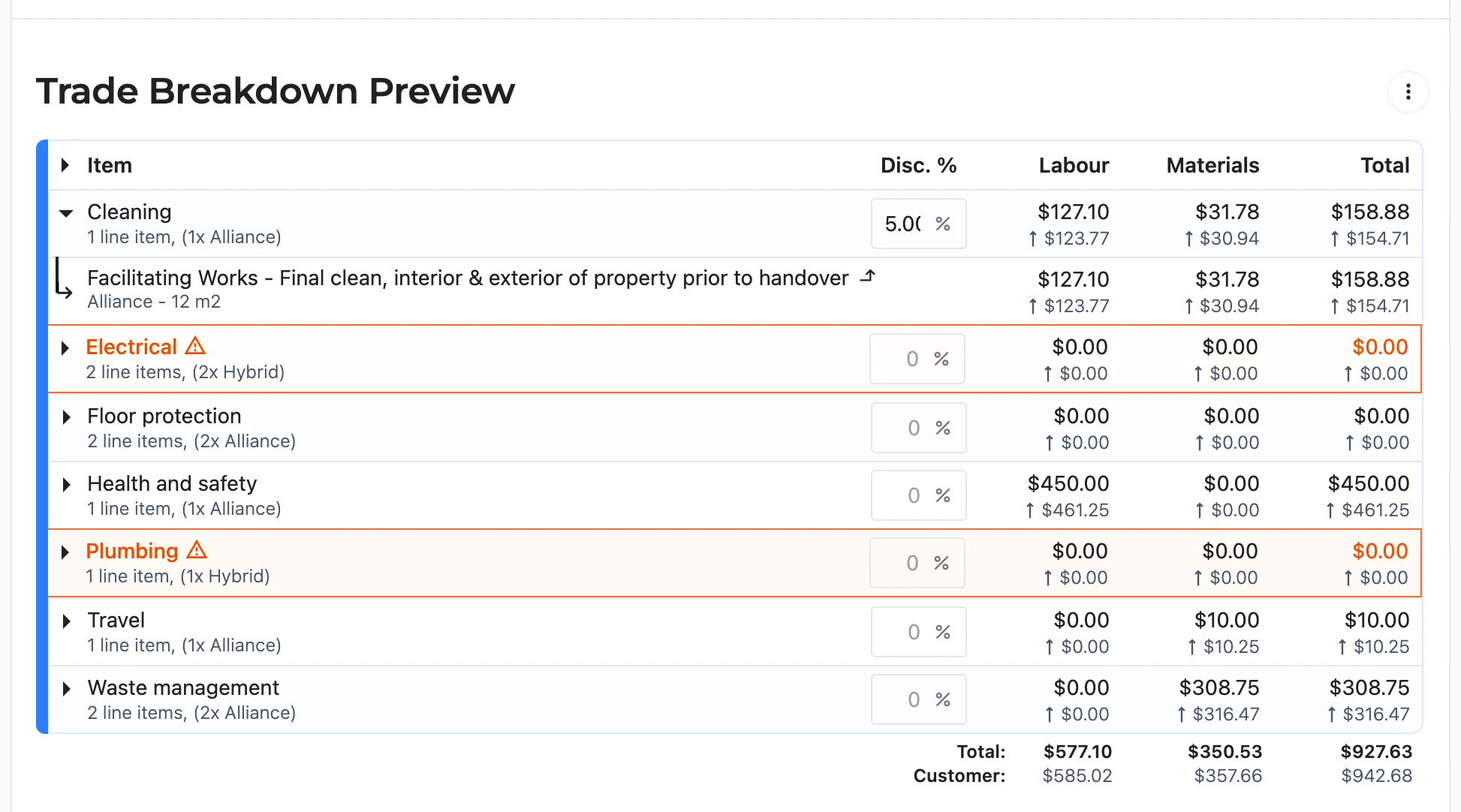
Select the arrow beside a trade to expand it and see the individual line items behind the numbers. Domino also flags anything that looks off - a trade priced below its recommended minimum charge, or work priced too high for the volume involved - by highlighting the row in orange with an explanation.
The options menu () beside the section heading controls which figures are shown: Raw Inputs (the values as entered), Customer Markup (what the customer will see once markups and off-sites are applied), and Alliance Markdown (what the Alliance member will be paid). You can show any combination side by side.

Discounts
Each trade also has a Disc. % field. Enter a percentage to discount every line item belonging to that trade - useful for sharpening a tender in the areas where you know you can be competitive, without touching the rest of the quote. A negative value works in reverse, marking that trade up instead.
Note: trade discounts are applied before preliminaries, margin, and off-sites are calculated, so the final figures the customer sees may differ slightly from a straight percentage off the trade's total. Which items they apply to, and how they appear in outputs, is controlled under Trade Discounts in the Configuration section.
Photo Schedule
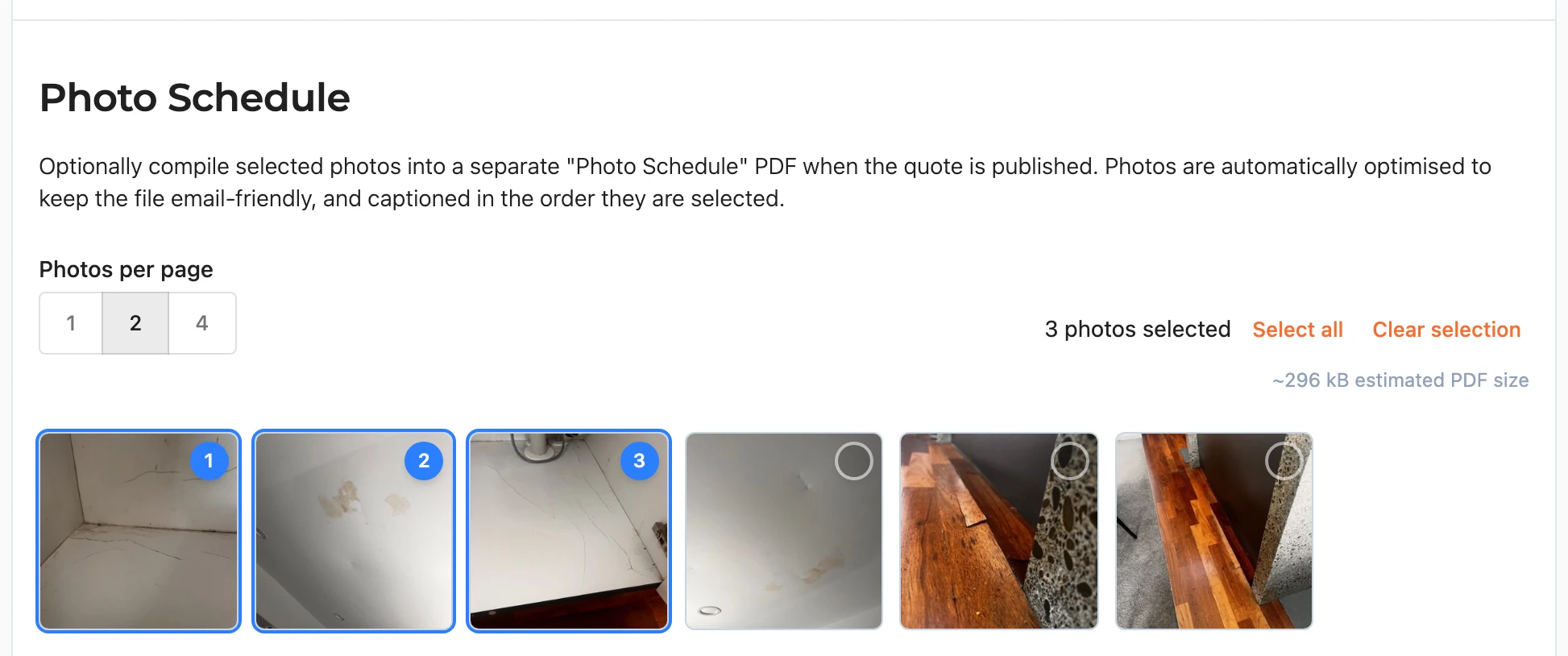
A quote often lands better when the recipient can see the site for themselves. The Photo Schedule section compiles photos of your choosing into a separate "Photo Schedule" PDF that is produced alongside the quote documents when the quote is published. It is entirely optional - leave it empty and no photo schedule is produced.
Selecting Photos
The section lists every image attached to the quote through the Files & Media panel. Where the quote is linked to a Fergus job, the photos on the Fergus job appear too, in their own group beneath the quote's own files.
Select the circle on a photo to add it to the schedule - the circle becomes a numbered badge showing its position. Photos are captioned in the PDF in the order you select them (Photo 1, Photo 2, and so on), so pick them in the order you want them to read. Selecting a photo again removes it and the rest renumber themselves, and Select all and Clear selection cover the broad strokes.
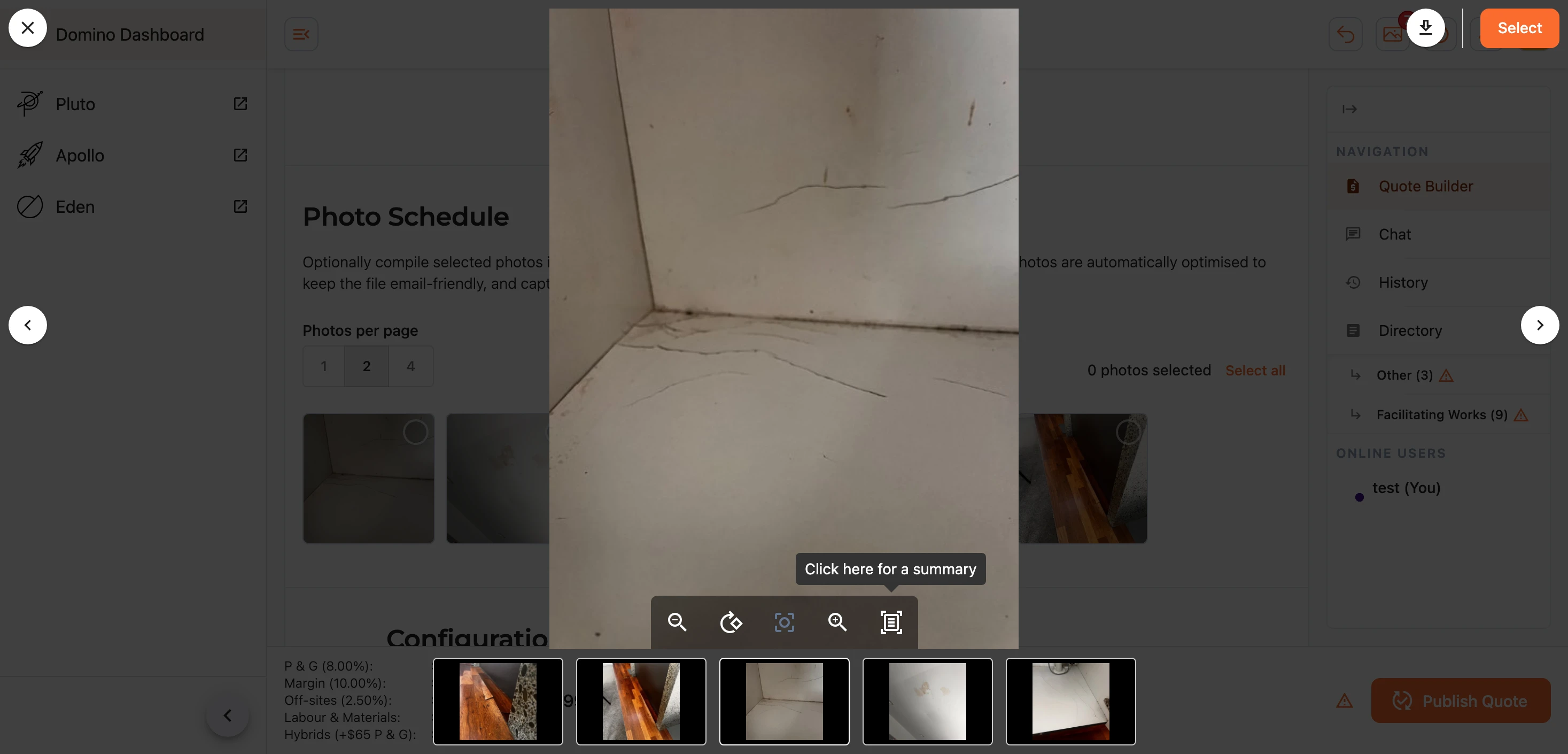
Select the photo itself (rather than the circle) to preview it full-size - you can move through the set with the arrows and use Select or Deselect without leaving the preview.
Layout and File Size
Choose 1, 2, or 4 Photos per page to suit how much detail each photo needs to carry. Domino automatically optimises every photo - straightening rotations and compressing for email - and a running estimate of the finished PDF's size is shown as you select. In the finished PDF each photo is also a link: the reader can click or tap it to open the original, full-resolution image in their browser.
Note: if the estimate climbs past around 8 MB, Domino warns you that some email systems may refuse the attachment - consider selecting fewer photos.
Note: your selection is remembered per quote on the device you made it on, so it will still be there when you come back - but it does not follow you between devices.
Configuration
The Configuration section holds the levers that shape the quote's pricing and presentation - preliminaries, margins, hybrid-trade handling, off-site allowances, discounts, struck-off labelling, and the programme length in weeks. The defaults are sensible for most jobs; adjust them where a particular quote calls for it.
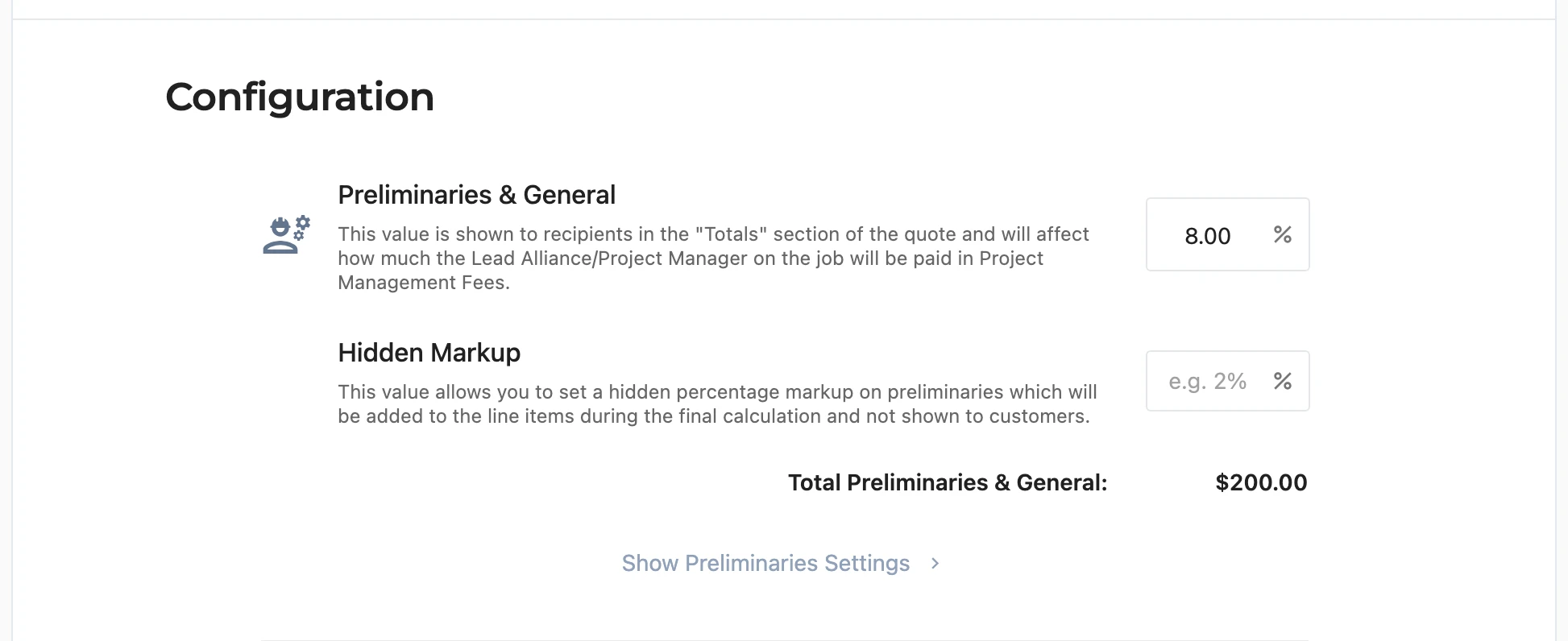
Each group pairs its main value with a Show ... Settings link that reveals the finer controls, and changes save as you make them. The finer settings follow a few recurring themes, so they are worth understanding once:
- Minimum Value - a dollar floor for the calculated amount, for small jobs where a percentage alone would not cover the fixed effort involved.
- Inclusions - whether Subcontractor items, Hybrid items, and PC Sums count towards that group's calculation.
- Presentation - how the value reads in outputs: shown with its percentage calculation or as a plain figure, and itemised in the totals or allocated across the line items instead.
- Alliance outputs - whether the value is itemised in the Totals section of Alliance members' documents.
Preliminaries & General
Preliminaries & General (P+G) is a percentage added to the quote to cover running the job. It is shown in the Totals section of the quote and determines the Project Management Fees paid to the Lead Alliance member/Project Manager on the job, and the Total Preliminaries & General figure beneath shows what the current settings amount to in dollars. The Hidden Markup field alongside takes a supplementary percentage that is allocated into the line items during the final calculation rather than itemised.
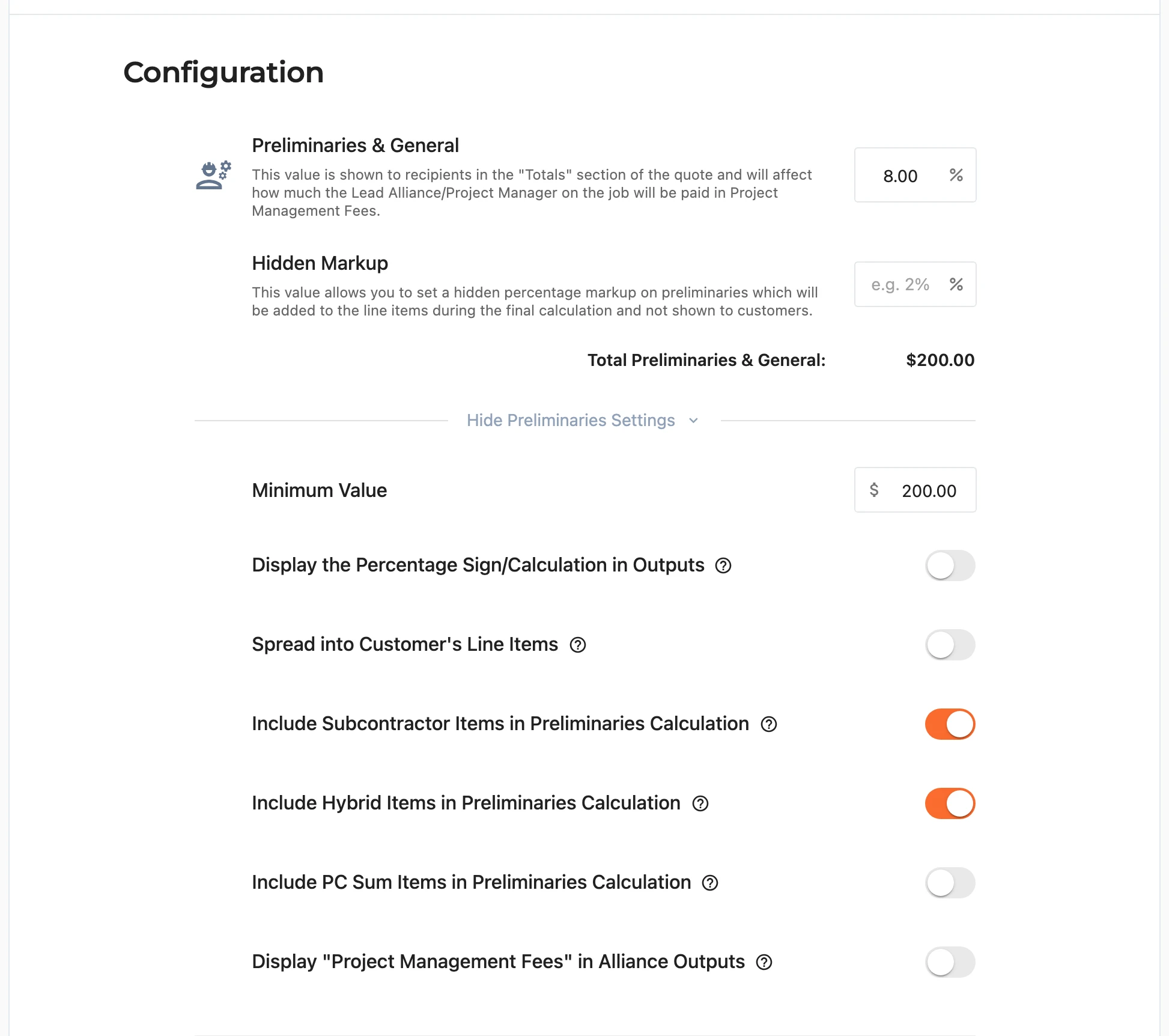
Show Preliminaries Settings reveals the recurring controls described above, plus a toggle for whether P+G appears as Project Management Fees in Alliance outputs.
Specialist/Hybrid Preliminaries
Where a quote carries Hybrid line items, Specialist/Hybrid Preliminaries & General adds a dollar amount (the default is $65) to the preliminaries to cover the plant and administration overheads of the specialist business unit. Its settings choose how the amount is presented to the customer - bundled into the main preliminaries (the default), allocated across all or just the hybrid line items, or shown as its own line. The specialist management fee that this amount and the hybrid markup fund is held by the business while no specialist operator is appointed, so you will not see it itemised in Alliance or Specialist Alliance documents.
Note: this value has no effect when the quote has no hybrid line items, and changing it from the default affects how payment schedules are calculated - Domino warns you in both cases.
Builder's Margin
The Builder's Margin works the same way as P+G: a percentage shown in the Totals section of the quote, determining the Administration Fees paid to the Regional Manager/Quoter on the job. It has its own Hidden Markup field and running total, and its settings mirror the preliminaries - with the Alliance output line labelled Site Foreman Fees.
Off-sites and Overheads
The Off-sites and Overheads Markup covers the back-office costs of the business. Unlike P+G and margin it is allocated into the line items by default rather than itemised, and it is set aside before Alliance calculations are made. Its settings cover the same recurring themes, with the Alliance output line labelled Business Administration Costs.
Line Item Discount
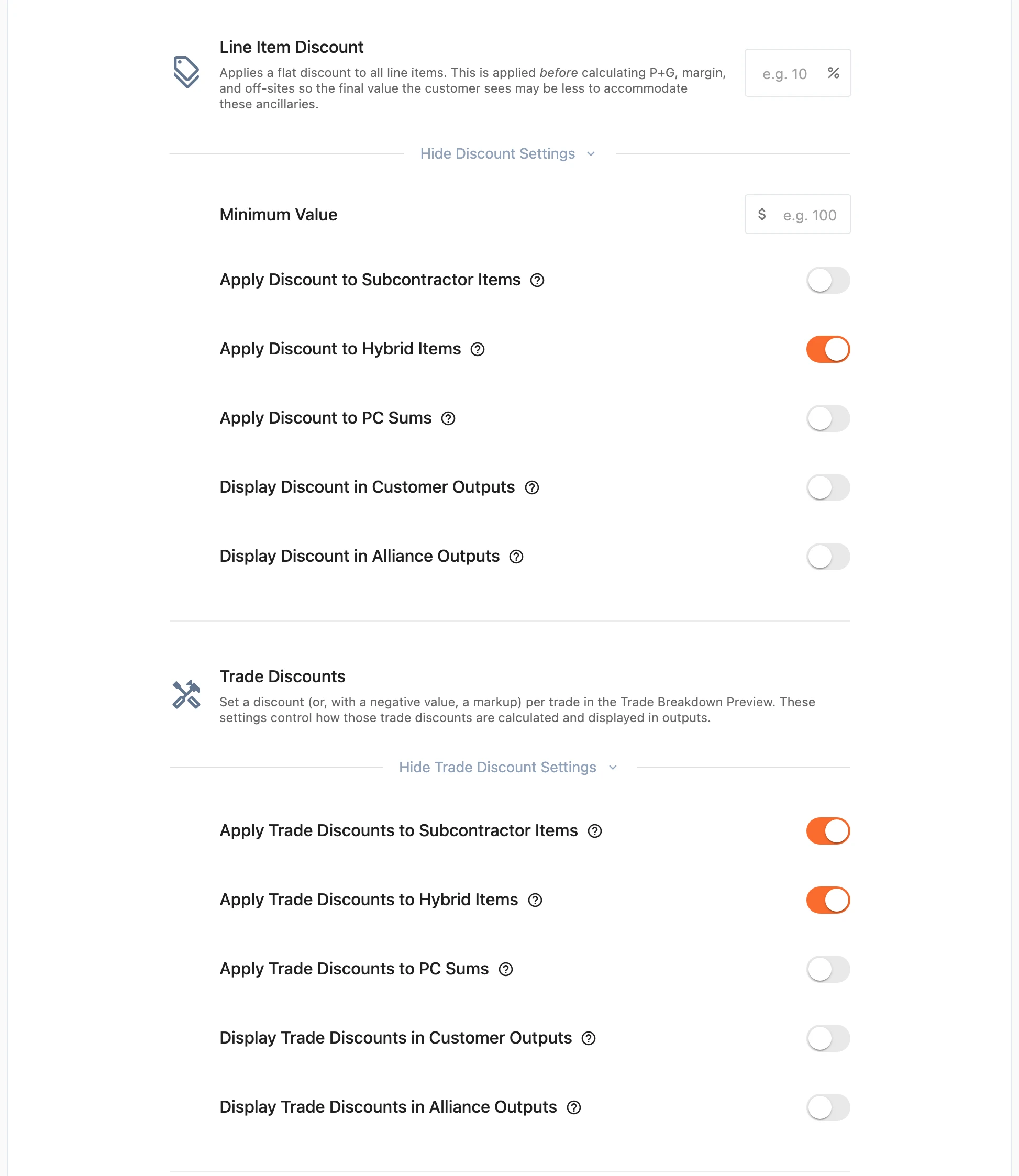
The Line Item Discount applies a flat percentage discount across all line items - the whole-of-quote counterpart to the per-trade discounts above. Like trade discounts it is applied before P+G, margin, and off-sites are calculated. Its settings choose which items it applies to and whether the discount is shown as its own line in the totals of customer and Alliance outputs.
Trade Discounts
The per-trade discounts themselves are set in the Trade Breakdown Preview; this group holds their settings - which items they apply to, and whether they are displayed in customer and Alliance outputs.
Struck Off Line Items
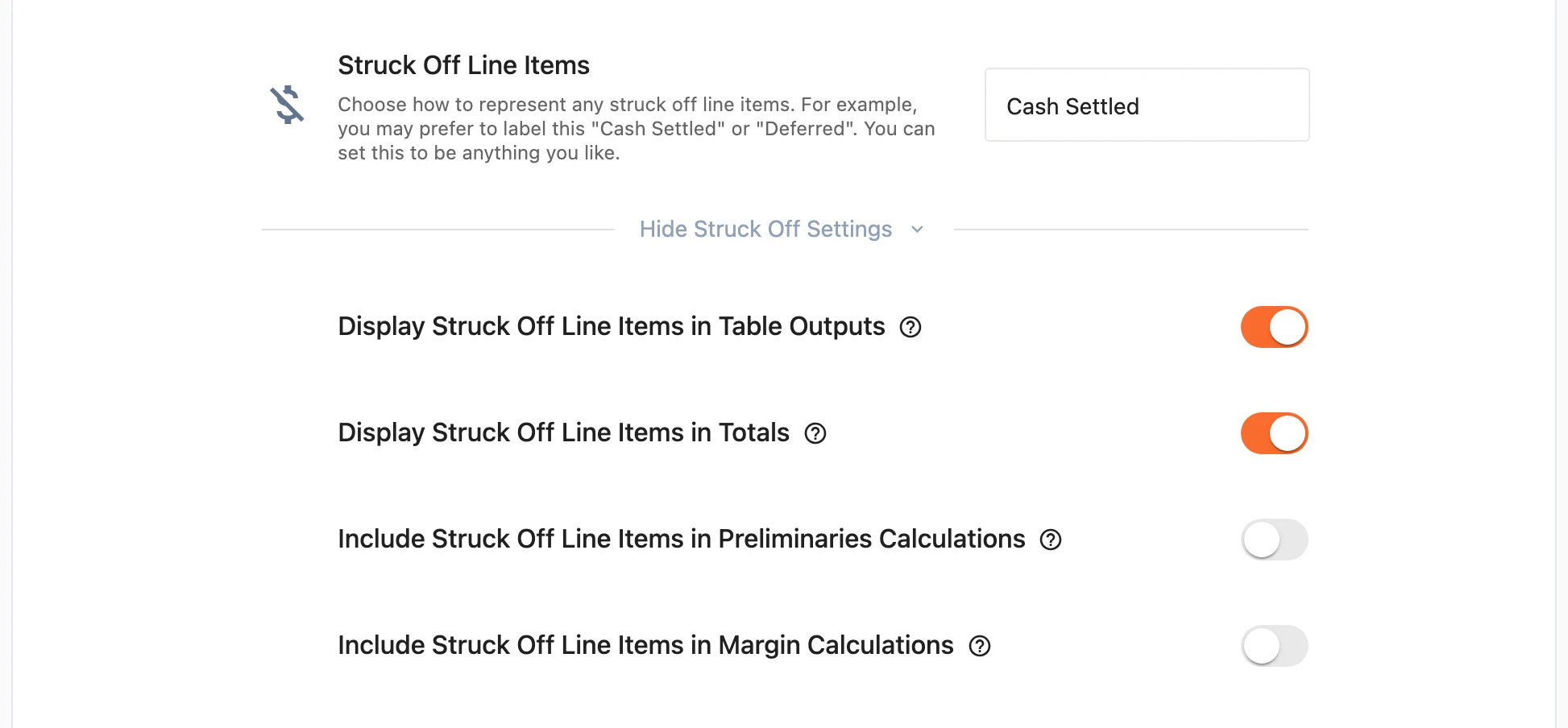
Choose how struck-off line items are labelled in outputs - Struck Off, Cash Settled, Delayed, Deferred, or anything else you type. The settings control whether struck-off items still appear in the body of outputs (shown with a line through them), whether their sum is shown in the totals, and whether they still count towards the preliminaries and margin calculations - useful where an item was cash settled after real administrative work had already gone into it.
Time Estimate
The Time Estimate is the programme length in weeks. It gives the customer a gauge of how long the works may take and gives internal stakeholders an anchor for when payments are scheduled; if unsure, set it to zero. A toggle controls whether the estimate appears in customer outputs - it is always visible to Alliance members.
Saving
There is nothing to remember to save - Domino records each change as you make it, and the totals and history keep up automatically. When the quote is ready to go out, head to publishing.