Apollo Health & Safety
Apollo is SAM Consulting's health and safety platform. It brings together everything a crew needs to start work safely on site - hazards and controls, hazardous substances, task analysis, a toolbox meeting agenda, and pre-start inspection checklists - as a single SSSP (Site Specific Safety Plan). Alongside the safety plan, Apollo builds a pre-start Work Breakdown Structure, the ordered programme of work behind the job. It leans on vetted safety catalogues and A.I. suggestions to take the legwork out of producing compliant documentation.
Apollo is used by our own works team and safety managers, so you will only see it if your account has been given access. You can open it from the apps menu in the navigation bar, or go straight to your dashboard - the searchable list of every SSSP you have access to:
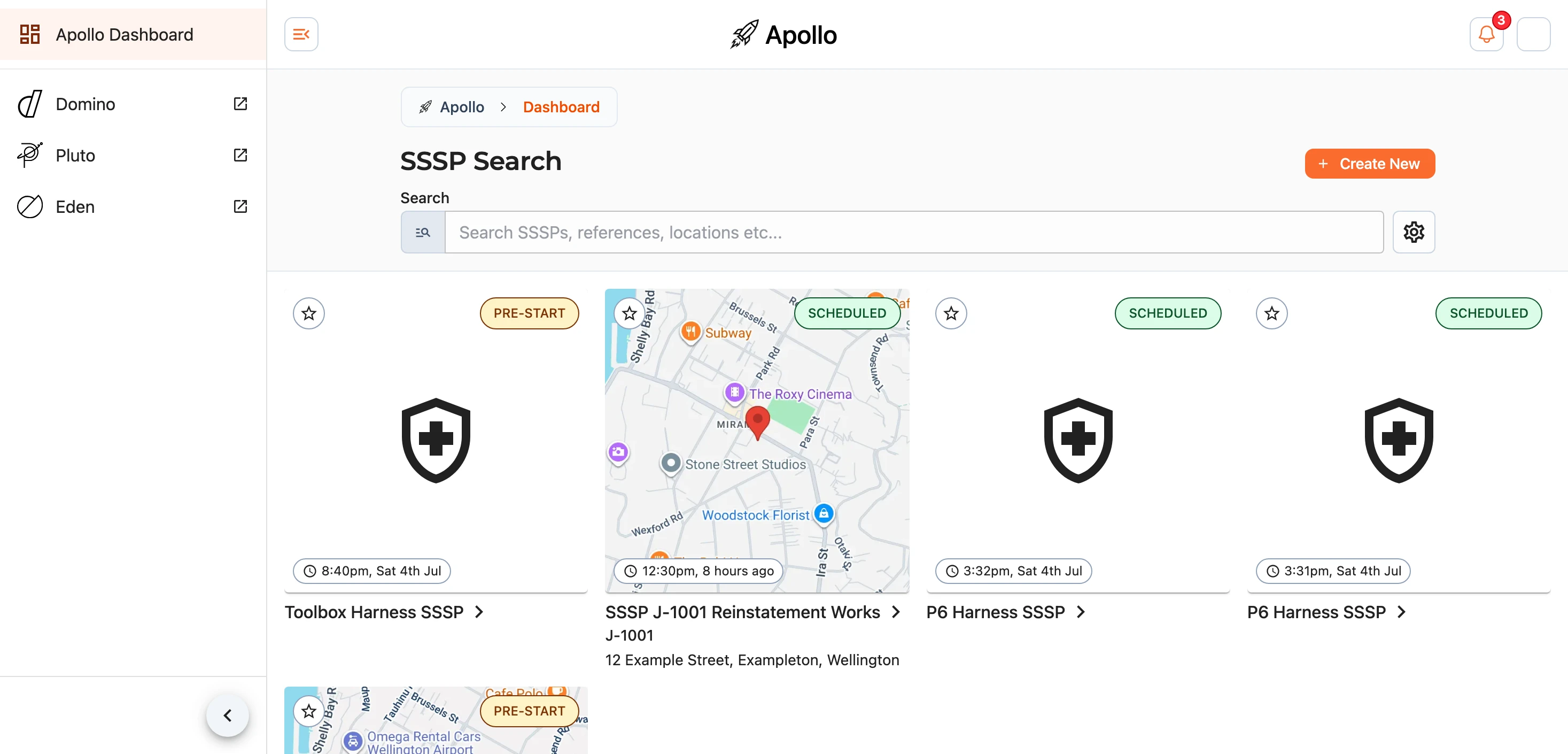
Each SSSP appears as a card (or a row, depending on the layout you choose) showing its title, any reference it carries, its site location, and the stage it has reached. Select one to open it in the builder. To start a new SSSP, use the Create New button at the top of the dashboard.
Finding an SSSP
Start typing in the search box to filter the list - it looks across SSSP titles, references, and locations as you go. Results update as you type, and the button clears the box again.
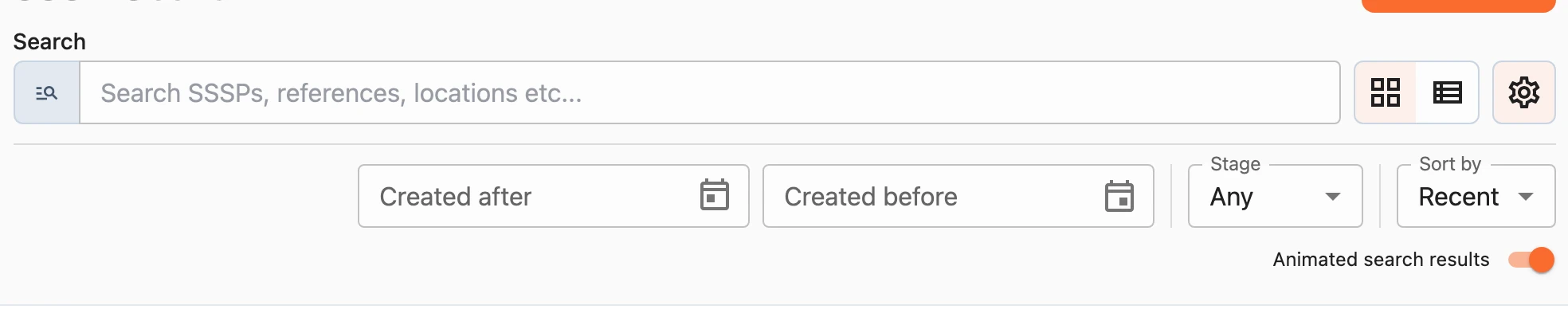
For a more precise search, open the filter and sort options with the button beside it. From here you can filter the list, change how it is ordered, and switch the layout - anything you apply is summarised on an Applied filters line beneath the options.
Stage
Filter by the stage an SSSP has reached, picking as many as you like at once:
Pre-start- no start date yet, still being prepared before work begins on site.Stale- no start date a week after it was created.Scheduled- has a start date that has not yet arrived.Not sent- the start date has passed and no link ever went out to site.Overdue- the start date has passed, a link went out, and no site check has come back.Checked- a site check has been filed.Completed,ClosedandArchived- the office has closed the SSSP out, and each says how the job ended.
Leave it on Any to show everything.
Dates, Sort and Layout
Narrow the list to a date range, and order it by Newest (the default), Oldest, or Title. Switch between the grid () and list () layouts to suit you - Apollo remembers your choice. You can also turn off animated search results if you would rather they appear instantly.
Favourites
Mark an SSSP as a favourite with the star () on its card. Favourited SSSPs turn the star yellow () and gather into their own section at the top of the dashboard, keeping the ones you are working on close to hand.