Start a new SSSP with the Create New button on the dashboard, or go straight to:
An SSSP is built from a short form and the scope you feed into it. Tell Apollo about the site and the people involved, hand it the scope of works, and it drafts the hazards, controls, task analysis, and work programme for you to refine. Your progress is saved automatically as you go - for up to a week - so you can step away and come back to finish later.
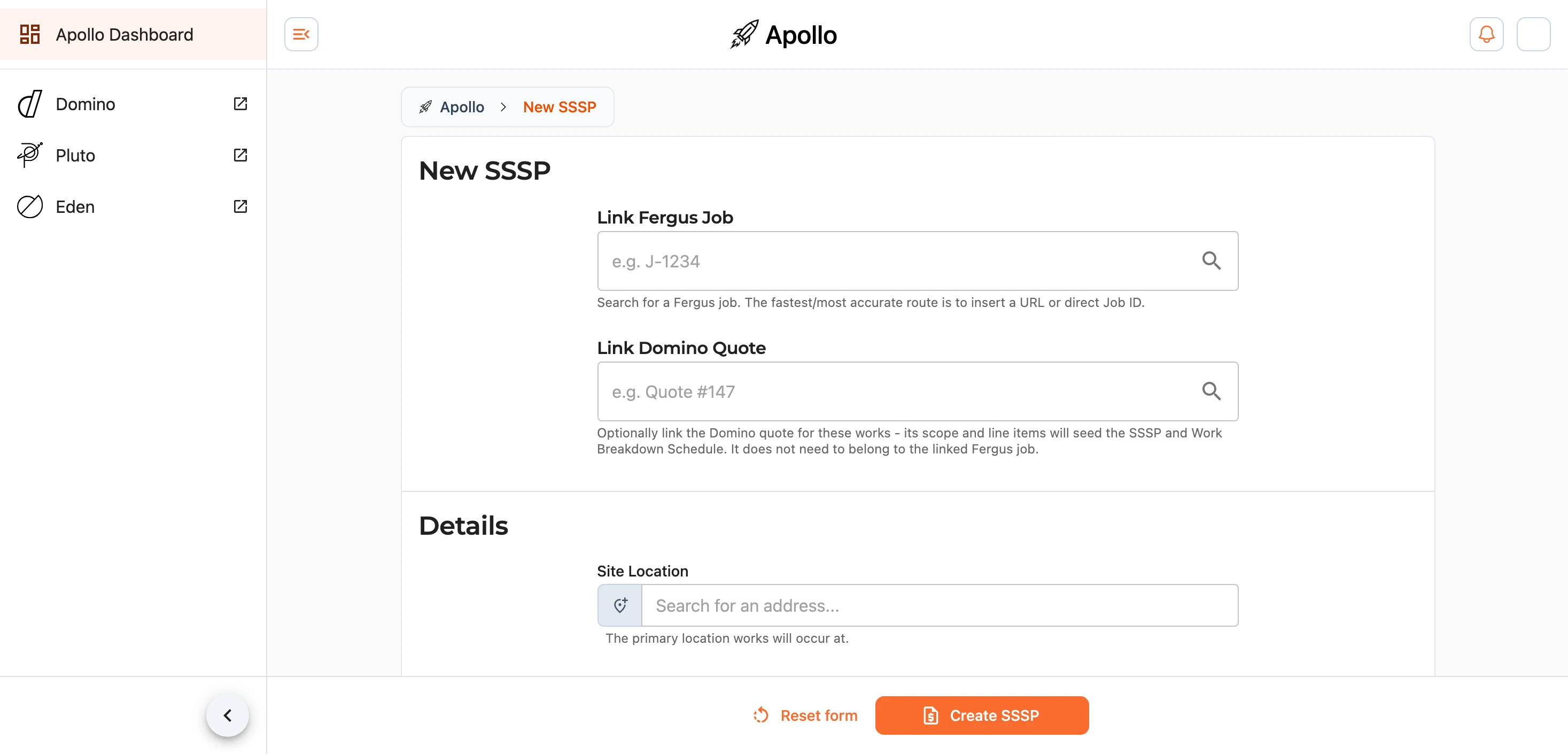
Where to Begin
The form opens with two quick ways to seed the SSSP from work you have already done:
- Link a Fergus job - search for the job and Apollo pulls through what it already knows, including the site address and any files attached to it.
- Link a Domino quote - search for a quote (for example
Quote #147) and its scope and line items seed the SSSP and the Work Breakdown Structure.
If you would rather start from scratch, choose Enter details manually, or drop a scope document straight onto the page to begin from a file.
Details
The Details section captures the essentials of the plan:
- Site Location - the address the work is being carried out at. Linking a Fergus job fills this in for you.
- Office Location - the office the job runs out of, chosen from your business locations.
- Users - the people responsible on this job: the Project Manager, the Site Foreman, and the Safety Manager, each with a contact phone number.
- Dates - the planned Start Date and End Date for the work.
Meetings
Set how often the on-site safety routines will run. Each is a pick from a list rather than typed in, so the printed plan carries the same words every time:
- Site Inspections - a full-site health and safety inspection.
None,Daily,Weekly,Fortnightly,Monthly, orAs Needed. Recommended weekly. - Toolbox Talks - the short crew safety catch-up on site.
None,Daily,Weekly, orFortnightly. The crew is texted and emailed at this cadence between the start and end dates, and it defaults to weekly on jobs of $30,000 or more. - Task Analysis - reviewing and updating the task analysis.
None,Daily,Weekly,Fortnightly,Monthly, orAs Needed. Recommended as needed.
Scope of Works
This is what steers the whole process. Upload the documents the plan should be based on - a scope document, a marked-up report, photos - and Apollo reads them to work out the hazards, tasks, and programme. You can drag files straight onto the page and drop them, and Apollo accepts images, PDFs, and common Office, Pages, and OpenDocument files.
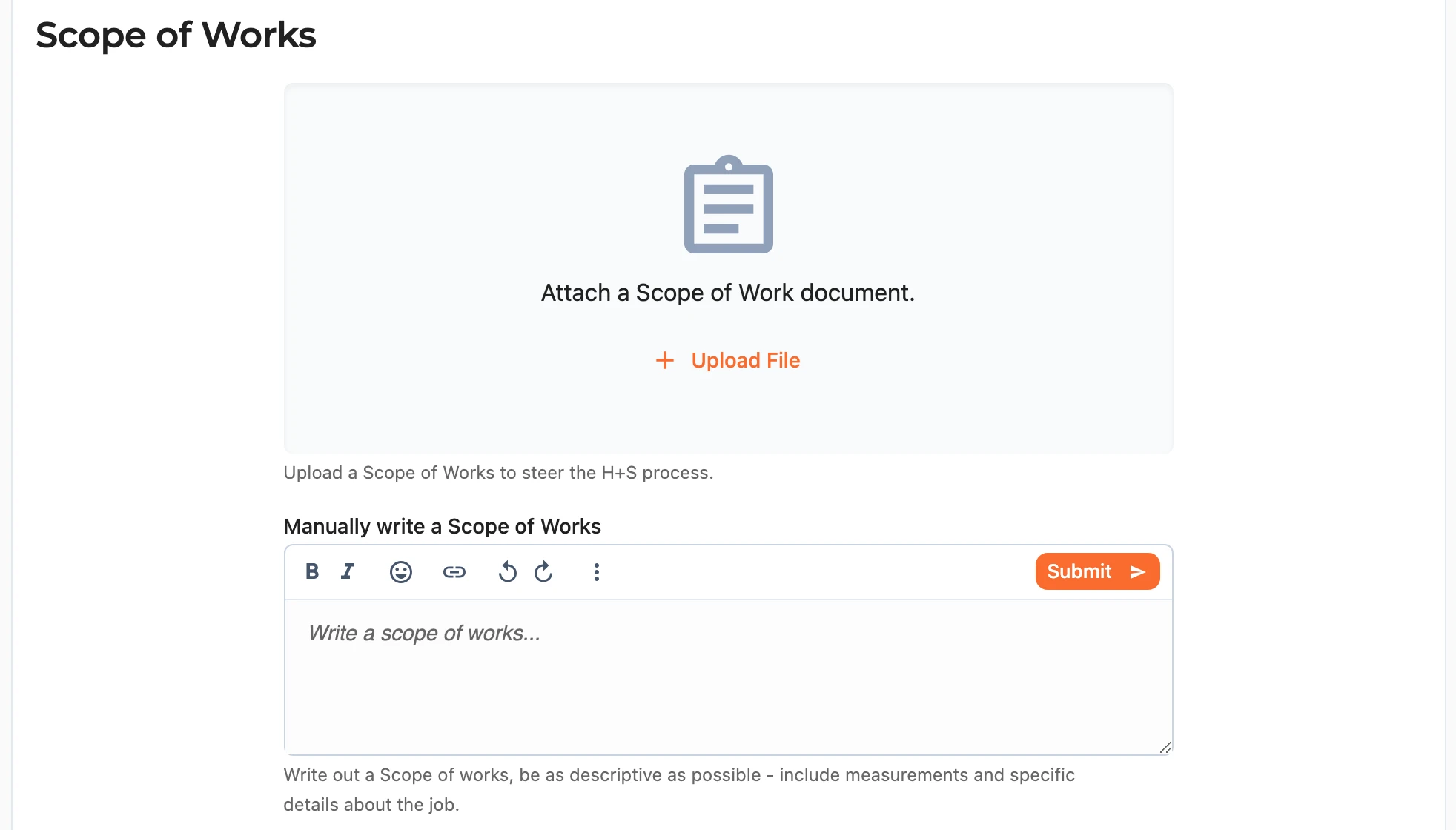
If you linked a Fergus job, you can also use Auto-generate Scope of Works from Fergus Job to build the scope from what is already on the job.
Note: generating a scope from a Fergus job runs in the background and takes a few minutes.
Configuration
The Configuration section tells Apollo what to account for when it drafts the plan. Automatic Configuration is on by default and lets the A.I. work these settings out from your scope of works, which suits most jobs.

Turn Automatic Configuration off when you want to set them yourself:
- Hazardous Work or Materials - the job involves higher-risk work such as heights, confined spaces, trenches, electrical, hot work, or demolition.
- Hazard Board Required - a hazard board will be displayed on site.
- Asbestos - asbestos is present or being worked with.
- Is Notifiable Works - the work must be notified to WorkSafe (for example scaffold at or above 5m, or trenches 1.5m or deeper). When this is on you can record the Worksafe Reference (for example
ON-abcd1234). - Property will be Occupied During Works - people will be living in or using the property while work is under way.
- Works Involve Elderly, Young, or Vulnerable Persons - extra care is needed for the people around the site.
Creating the SSSP
When you are ready, use the save bar at the bottom of the page to create the SSSP, or reset the form to start over. Apollo then prepares the Site Specific Safety Plan and Work Breakdown Structure in the background.
Note: you will land on a SSSP is being prepared screen while this happens. It typically takes a few minutes, and you can watch the progress or come back later - the page reloads into the builder once it is ready.